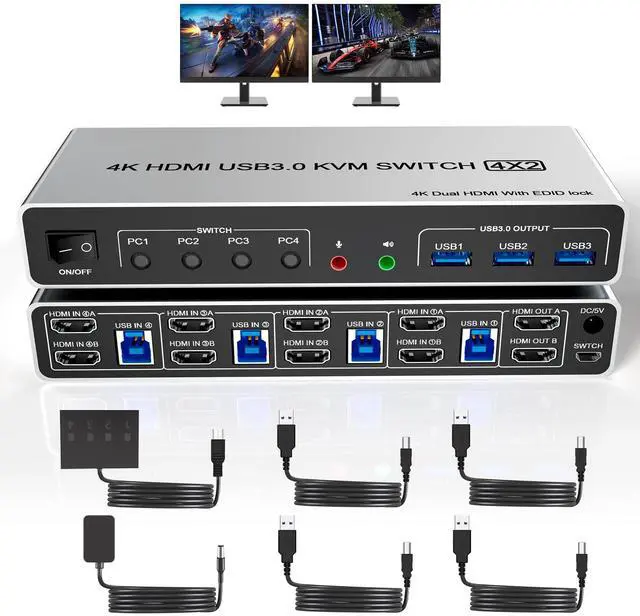
Vszerda USB 3.0 HDMI KVM Switch Dual Monitors 4 Computers Supports EDID 4K 60Hz KVM Switch HDMI 2 Monitor 4 PC With Audio Microphone And 3 USB 3.0 Ports 4 Port Dual HDMI Monitor Switch For 4PC
Free worldwide shipping, tax free!
$94.00
$162.00
Main Features & Information
Vszerda USB 3.0 HDMI KVM Switch Dual Monitors 4 Computers Supports EDID 4K 60Hz KVM Switch HDMI 2 Monitor 4 PC With Audio Microphone And 3 USB 3.0 Ports 4 Port Dual HDMI Monitor Switch For 4PC
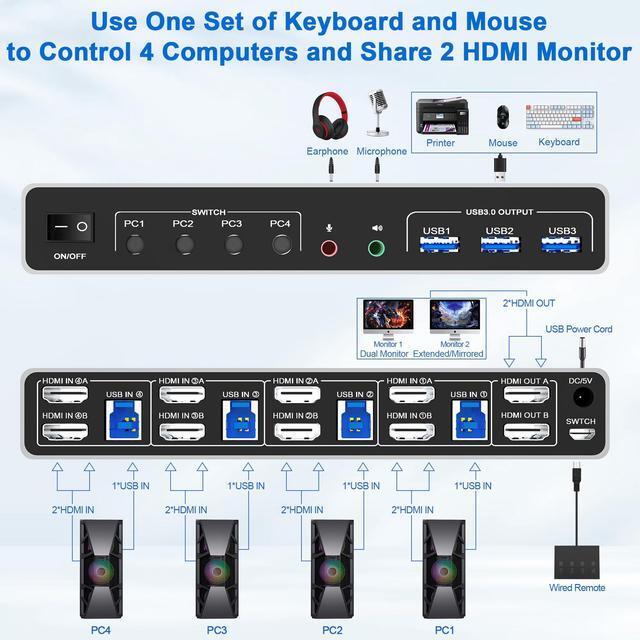
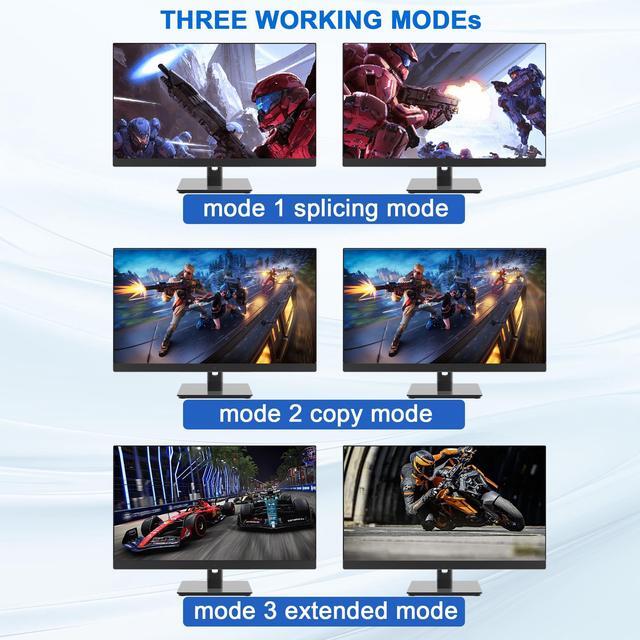
- USB 3.0 4 Port HDMI KVM Switch Dual Monitors 4 computers: This HDMI+HDMI dual monitor KVM Switch can share 4K@60Hz HD dual monitor, 3 USB 3.0 devices and earpiece device and microphone between 4 computers. This 4 IN 2 OUT HDMI dual monitor KVM Switch allows you to control 4 computers or laptops with one set of keyboard, mouse, and dual monitors. Only when your computer supports dual display or multi display, you can use this KVM to achieve share 2 monitors. (Extended, mirrored or spliced display modes depend on your computer's graphics card).
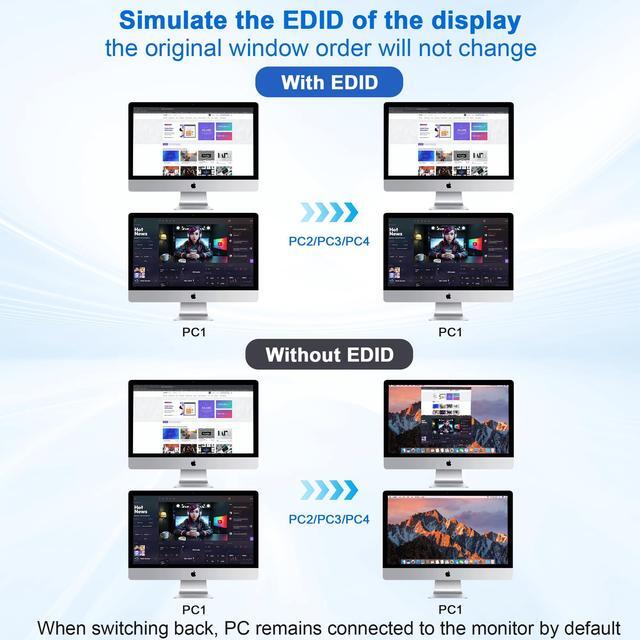
- With Simulation EDID: This KVM dual monitor switch can simulate the EDID of the display, store the resolution and refresh rate of the display, it comes with EDID emulators in each input port, keep PCs always having correct display information. Without EDID, your windows may move around when switching. No longer have to sit and wait for the windows to adjust. Another feature of EDID is the ability to automatically identify the best resolution.