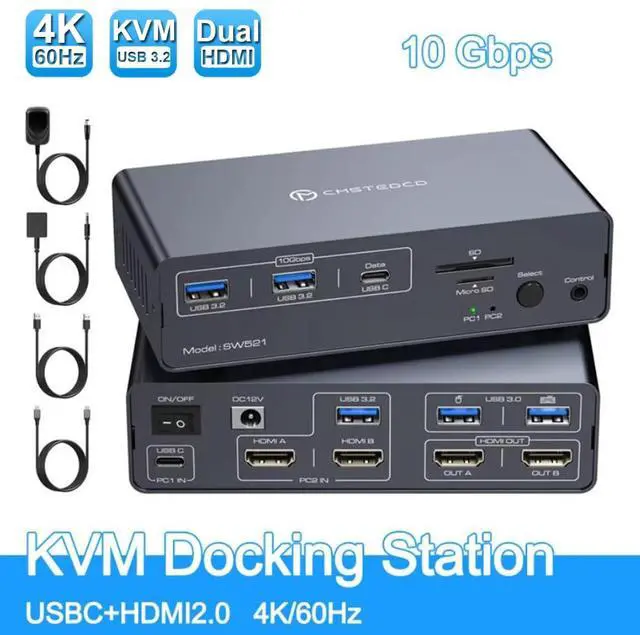
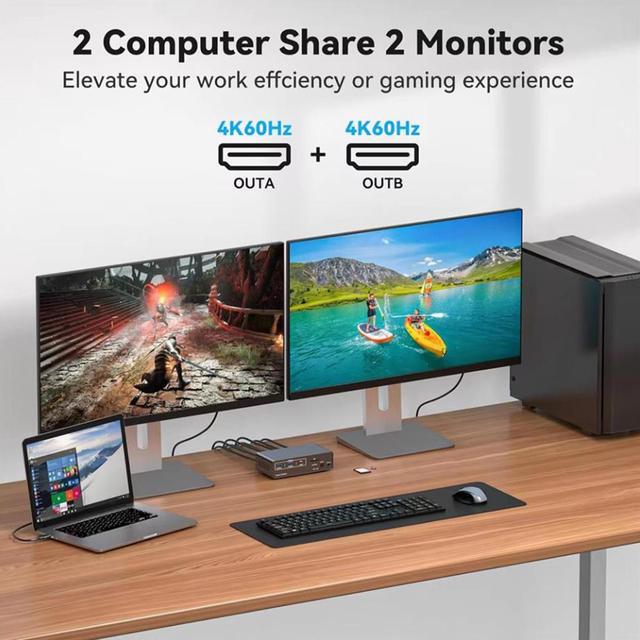
SMA USB C Docking Station HDMI KVM Switch 2 Computers 2 Monitors For Laptop Desktop USB C With 4K 60Hz 2 HDMI 2.0 USB 10Gbps Dual Monitor KVM Switcher For Laptop And PC Share 13 In 1 Dock
Free worldwide shipping, tax free!
$98.00
$200.00
Main Features & Information
SMA USB C Docking Station HDMI KVM Switch 2 Computers 2 Monitors For Laptop Desktop USB C With 4K 60Hz 2 HDMI 2.0 USB 10Gbps Dual Monitor KVM Switcher For Laptop And PC Share 13 In 1 Dock
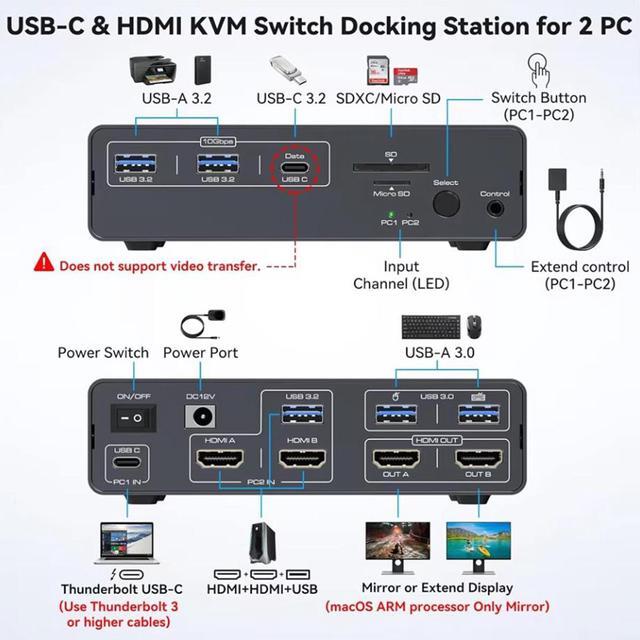
- Docking station for laptop&Desktop: The KVM allows a USB-C laptop and a desktop computer to share a 13-in-1 USB C dock; seamless switching between work laptop and personal computers; Note: Make sure the laptop's USB-C port supports image output; the PC needs to connect 1 USB cable and 2 HDMI cables to the docking station's PC2 IN port.
- 13-in-1 Dock: with 2*USB 3.0; 2*10Gbps USB 3.2, 1*USB-C data ports allow you to connect more peripherals for faster transfer speeds; 1*SD card slot and 1*Micro SD card slot provide you with a more convenient way to transfer data.
- with EDID function: Supports resolutions of up to 4K@60Hz and is backward compatible with 4K@30Hz, 2K@120Hz, etc. With EDID simulation function, when PC1 is switched to PC2 and then back to PC1, the desktop of PC1 remains unchanged.
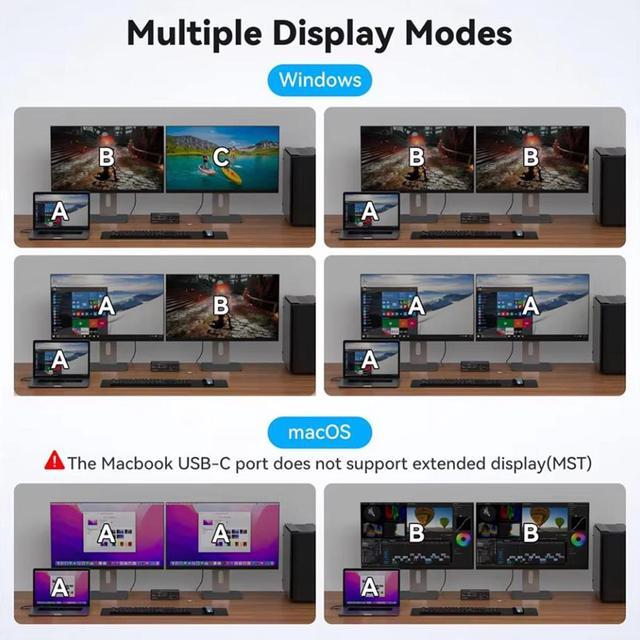
- 2 switching modes: Desktop extension button allows you to hide the extension under your desk or outside your workspace.Or simply press the button on the front of the Thunderbolt dock to switch.
You Might Also Like
 Digi International 70000901 / 50000309-04 S 16-Port RJ-451 Terminal Server (NOB)