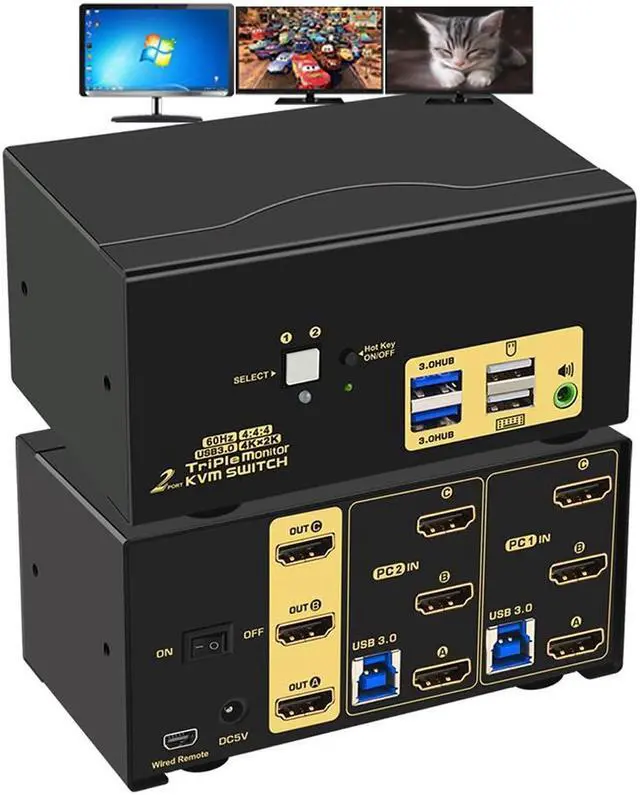
AUTYUE 2 Port Triple Monitor HDMI KVM Switch HDMI USB 3.0 KVM Switch With Audio Output All Input Cables 2 USB 3.0 Hub For 2 Computers Sharing 3 Monitors Supports Emulation EDID Hotkey Switching
Free worldwide shipping, tax free!
$95.00
$186.00
Main Features & Information
AUTYUE 2 Port Triple Monitor HDMI KVM Switch HDMI USB 3.0 KVM Switch With Audio Output All Input Cables 2 USB 3.0 Hub For 2 Computers Sharing 3 Monitors Supports Emulation EDID Hotkey Switching
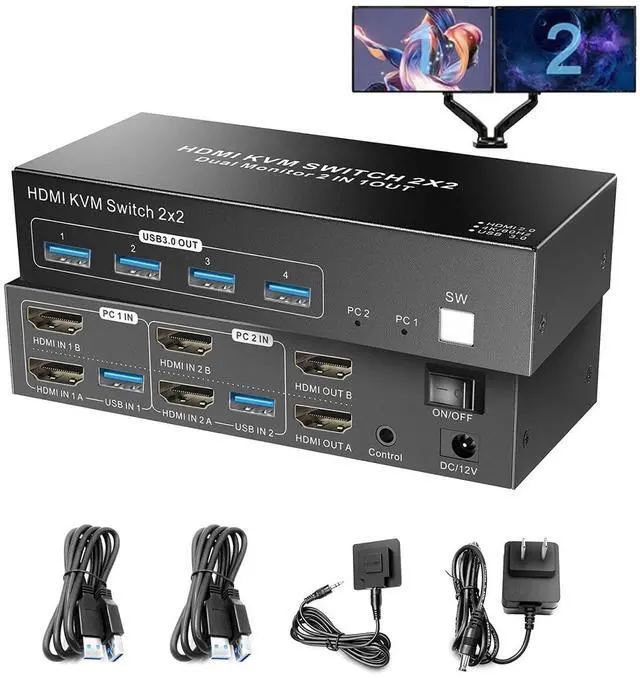
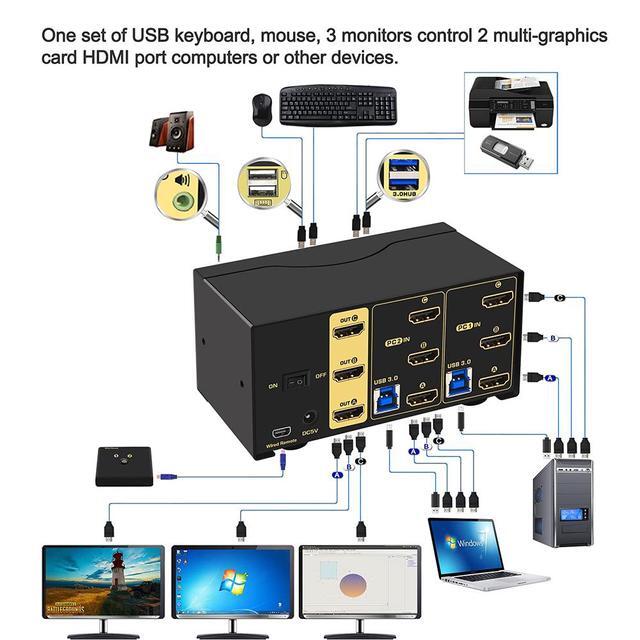
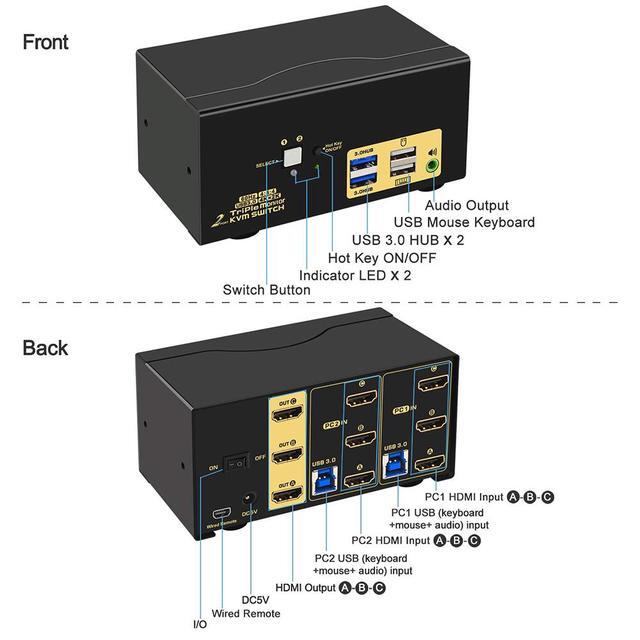
- KVM Switch Triple Monitor: KVM Switch allows 2 computers/laptops sharing one set USB of keyboard & mouse, 3 monitors, headset, and 2 USB 3.0 peripheral devices. With digital audio output. with emulation EDID. (Tips: This KVM requires each of your PCs with 3 or more video outputs.)
- 4K 60Hz: Resolution compatible 4096x2160@60Hz, 3840x2160@60Hz, 3840x1620@60Hz, 3440x1440@60Hz, 3840x1080@60/120Hz, 3200x1800@60Hz, 2560x1440@60/144/165Hz etc.
- KVM Switch HDMI Triple Monitor: Supports touch screen, OLED screen, widescreen, ultra-wide screen, etc. Drive-free for Windows 10/7/2000/XP/Vista, Linux, Mac, Debian, Ubuntu, Fedora, Raspbian, Ubuntu, etc.
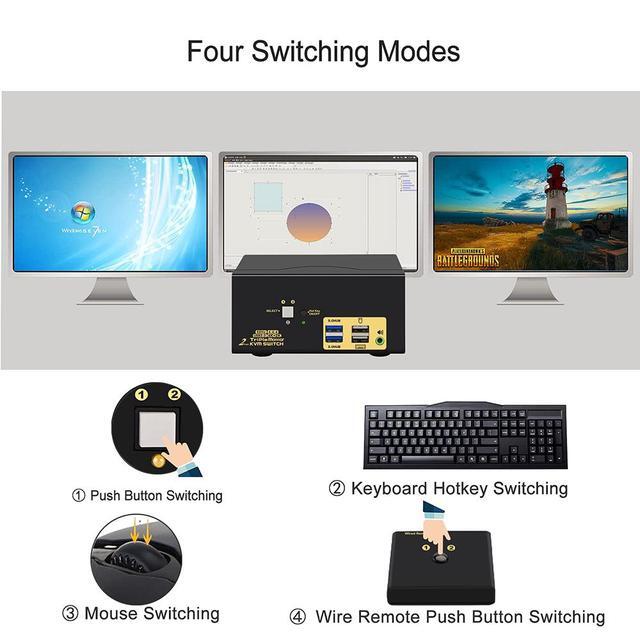
- 4 switching ways optional: Hotkey switching(Num Lock + Num Lock + 1 / 2 + Enter, or Ctrl + Ctrl + 1 / 2 + Enter or Scroll Lock+ Scroll Lock+1 / 2 + Enter), mouse switching (click mouse wheel 2 times), manual button switching, and wired remote push-button switching.
- With auto detection, auto scan, waking up, with memory function in case of power-down.