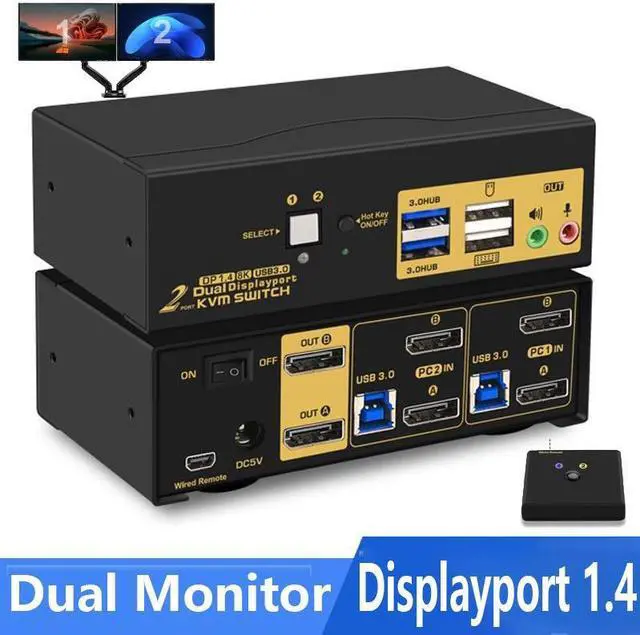
2 Port Displayport KVM Switch Dual Monitor DisplayPort 1.4 USB 3.0 KVM Switch For 2 Computers 2 Monitor 4K 144Hz 8K 30Hz PC Screen Keyboard Mouse Peripheral Audio Sharing Selector With All Cables
Free worldwide shipping, tax free!
$96.00
$184.00
Main Features & Information
2 Port Displayport KVM Switch Dual Monitor DisplayPort 1.4 USB 3.0 KVM Switch For 2 Computers 2 Monitor 4K 144Hz 8K 30Hz PC Screen Keyboard Mouse Peripheral Audio Sharing Selector With All Cables
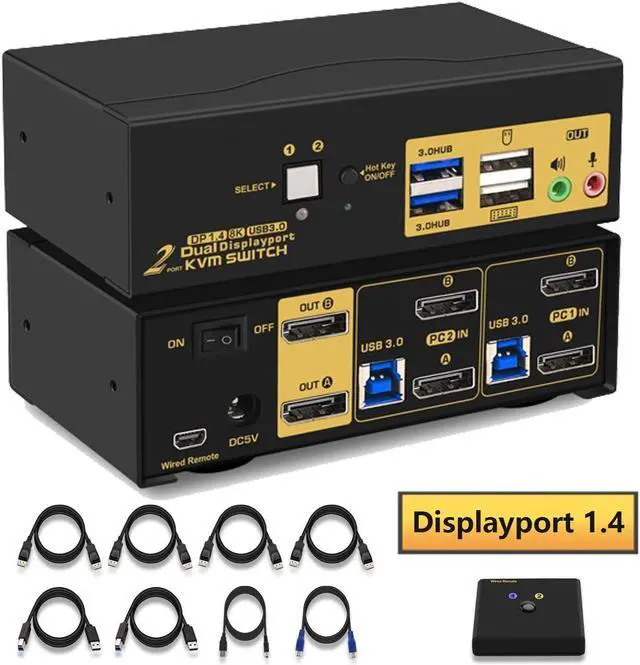
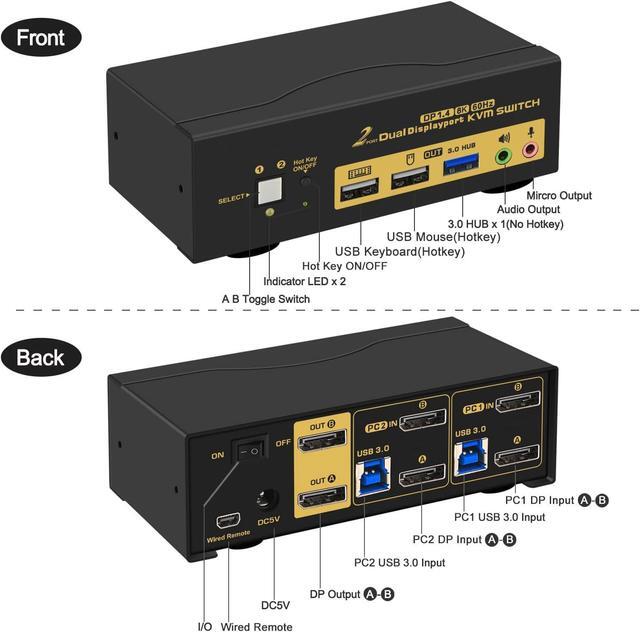
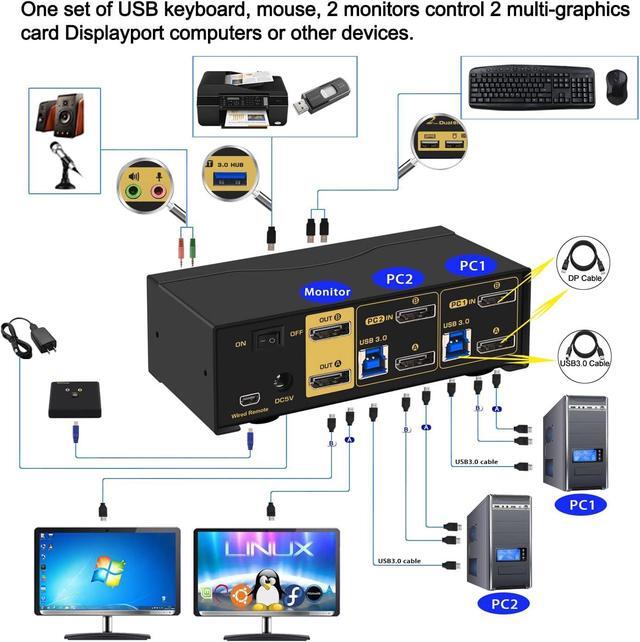
- [Dual Monitor Displayport Switch] 2 DP-interface computers sharing 1 set of keyboard & mouse, 2 monitor, audio, microphone and 2 pcs USB 3.0 peripheral devices. With audio and microphone output, 2 pcs USB 3.0 hub, 2 kits 4.9ft cables and a wire remote push button switch. (Tips: this KVM switch required your computer with 2 or multi video output)
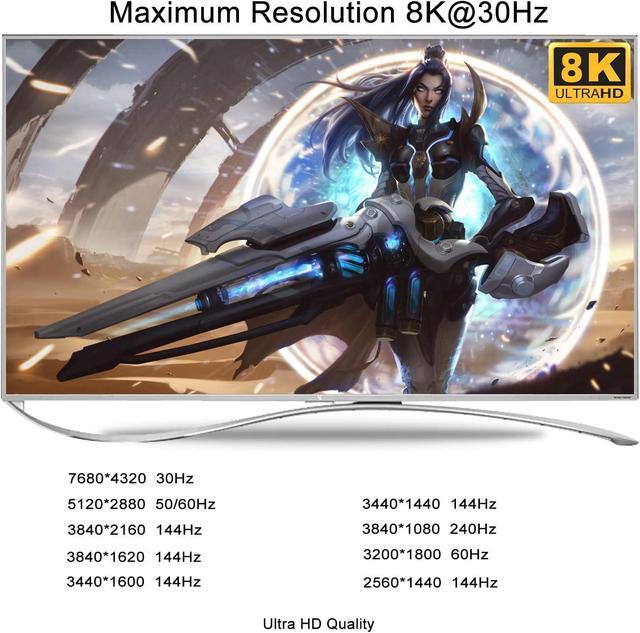
- [Displayport KVM Dual Monitor] Resolution compatible 7680x4320@30Hz, 3840x2160@144hz and lower resolution. Drive-free for Windows 10/7/2000/XP/Vista, Linux, Mac, Debian, Ubuntu, Fedora, Raspbian, Ubuntu, etc.
- [8K Displayport KVM Switches] Support wired/wireless/unify keyboard and mouse, touch screen,16:9 widescreen, 21:9 ultra-wide monitors, etc. It can switch by mouse or keyboard independently. And it can enter into BIOS interface directly.
- [4 switching way optional] Hotkey switching(Num Lock+Num Lock+1/2 + Enter, or Ctrl+Ctrl+1/2+Enter, or Scroll Lock+ Scroll Lock+1/2+Enter), mouse switching, manual button switching, wired remote push button